Shiny Metallic Glitter Digital Paper: Practical Advice for Better Results
Shiny metallic glitter digital paper has become a go-to resource for anyone designing invitations, social media graphics, printable stationery, or branding materials. The appeal is obvious—it brings warmth, texture, and a celebratory feel without requiring physical glitter or metallic inks. Yet many people pick up a pack and end up disappointed because the final result looks flat, pixelated, or just plain cheap. The problem is rarely the paper itself. It is almost always a mismatch between expectations and how the file actually works in practice.
Understanding what shiny metallic glitter digital paper really is—and what it is not—can save you time, money, and a fair amount of frustration. This article walks through the most common mistakes people make when choosing, using, and applying these files, and offers straightforward ways to get the kind of polished outcome you likely imagined.
Mistaking Low-Resolution Previews for Print-Ready Quality
One of the most frequent misunderstandings happens right at the download stage. A product thumbnail or preview image may look stunning—bright highlights, seamless sparkle, rich depth. But that preview is often a smaller, compressed version of the actual file. When you zoom in or try to print at full size, the glitter effect can appear blurry or blocky.
Always check the resolution and dimensions before purchasing or downloading. Shiny metallic glitter digital paper intended for printing should be at least 300 DPI. For digital use, 72 DPI may suffice, but ensure the pixel dimensions match your canvas size. If you design a banner that is 24 inches wide and your digital paper is only 12 inches wide at 300 DPI, you will stretch it and lose detail.
A better approach: Read the product description carefully. Look for terms like "300 DPI," "high resolution," or "print ready." If the seller displays the pixel dimensions (e.g., 3600 x 3600 pixels), that is a reliable indicator of quality. When in doubt, download a sample file or test a small print before committing to a large run.
Overlooking the Difference Between Seamless and Non-Seamless Patterns
Shiny metallic glitter digital paper often comes as a repeatable pattern. But not all patterns tile seamlessly. If you use a non-seamless file to fill a large background, you will see visible seams or awkward jumps in the glitter texture.
This is especially problematic for website backgrounds, wrapping paper designs, or large-format prints where the pattern repeats many times. The seams break the illusion of a continuous metallic surface, making your project look amateurish.
Check before you buy: Look for the phrase "seamless tile" or "repeatable pattern." Many quality sellers include a tile preview showing how the pattern joins at the edges. You can also test a file yourself by duplicating it in your design software and aligning the edges. If you see a clear line, consider editing the file or choosing a different product.
For digital use, such as social media backgrounds or web graphics, seamless tiling matters less because the pattern may not repeat. But if you plan to print wrapping paper, gift tags, or large signage, seamless tiling is a must.
Ignoring Color Profiles and File Formats
A surprisingly common issue arises from color profile mismatches. Shiny metallic glitter digital paper designed in RGB mode looks vibrant on screen, but when printed in CMYK mode, the colors shift—often losing brightness. Metallic effects that appeared gold or silver on your monitor can turn muddy or gray on paper.
Similarly, file format matters. JPEG files are smaller and convenient, but they compress data, which can soften the glitter effect. PNG files preserve transparency and detail but can be large. TIFF files offer the highest quality for printing but may not be necessary for every project.
How to avoid this: Determine your output medium first. If you are printing, choose digital paper provided in CMYK or convert it yourself using reliable software. For digital-only projects, RGB is fine. Ask the seller about the color mode before buying. Many experienced creators offer both versions or clearly state which one you are getting.
Keep a test file handy. Print a small sample on your intended paper stock to see how colors and sparkle translate. Adjust brightness or contrast in your design software if needed.
Using Shiny Metallic Glitter Digital Paper Without Considering the Background
Shiny metallic glitter digital paper works beautifully against dark or neutral backgrounds. But when placed on a white or very light background, the glitter effect can wash out entirely. The highlights that give the paper its metallic feel rely on contrast.
Many beginners place glitter digital paper directly onto a white canvas and wonder why it looks flat. The same file placed on a black or navy background would pop dramatically.
A quick fix: Experiment with background colors. If your design includes text or other elements over the glitter paper, ensure enough contrast for readability. A dark metallic glitter overlay on a dark background disappears. Conversely, a light glitter on a light background loses its sparkle.
Duplicating the glitter layer and setting one copy to a lighter blend mode, like Screen or Overlay, can enhance the shimmer. Adjust opacity until the effect reads as metallic rather than muddy.
Neglecting the Glitter Scale Relative to Your Design
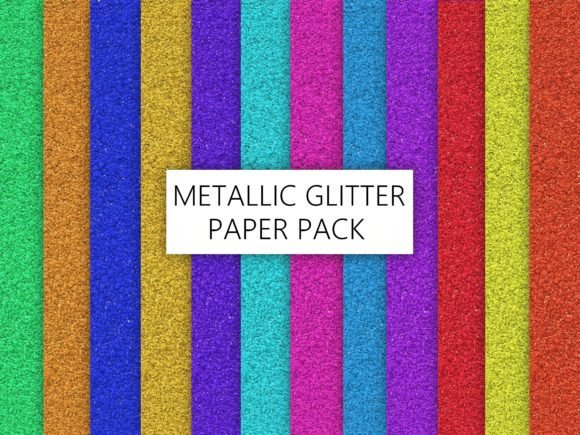
Shiny metallic glitter digital paper comes in various scales—fine micro-glitter, medium flecks, or large chunky sparkle. Choosing the wrong scale can ruin the intended look. A large, chunky glitter pattern used on a small business card will show only one or two sparkle flecks, making the card look spotty rather than metallic.
Conversely, a micro-glitter pattern scaled very large can appear as a uniform texture rather than a glitter effect, losing the very quality you wanted.
Practical advice: Consider the final size of your application. For small items like tags, stickers, or social media profile images, choose fine or micro-glitter patterns. For large surfaces like wrapping paper, wall art, or presentation backgrounds, medium or larger glitter scales work well. Test the scale by applying the pattern to a mockup of your exact dimensions before finalizing.
Most design software allows you to scale the pattern independently of the object. Use that feature to find a balance where the glitter reads as metallic texture, not as random dots or a flat wash.
Buying Shiny Metallic Glitter Digital Paper Without Checking License Terms
License restrictions catch many people off guard. Some shiny metallic glitter digital paper is licensed only for personal use. Others allow commercial use but with limitations on print runs or redistribution. If you plan to sell products—like printed stationery, digital templates, or physical merchandise—using unlicensed files can lead to legal issues or having your work taken down from marketplaces.
How to avoid trouble: Read the license before downloading. Look for terms like "commercial use allowed," "unlimited print runs," or "permitted for resale." If the license is unclear, contact the seller directly. Reputable creators include a license file in the download package or display it on the product page.
Keep a copy of the license for each digital paper pack you purchase. If you use the design in a commercial project, you have proof of permission.
Underestimating the Importance of Texture Layering
Shiny metallic glitter digital paper often provides a flat image of a glitter surface. That is fine for simple backgrounds, but it rarely looks realistic on its own when used over large areas. Real metallic glitter has depth—light catches different flecks at different angles. A single digital layer cannot fully replicate that effect.
To achieve a convincing metallic shimmer in your final design, consider layering. Place the glitter paper over a gradient background. Add a subtle shadow or glow layer. Use a second glitter layer at a reduced opacity or with a different blend mode to simulate varying light angles.
Realistic example: Imagine designing a wedding invitation. A single layer of gold glitter digital paper as a background looks okay. But if you add a subtle linear gradient behind it (gold to dark gold), then place the glitter paper on top with a blend mode set to Overlay at 70% opacity, the result will have depth and a rich metallic sheen.
Do not rely solely on the digital paper file. Use it as one element in a layered composition.
Failing to Account for File Size and Performance
High-resolution shiny metallic glitter digital paper can be large—sometimes 50 MB or more per file. This is fine for printing, but it can slow down your design software significantly, especially if you use multiple files in one project or work on an older computer.
Many people download a beautiful pack, open it in software, and immediately experience lag or crashes. This is especially frustrating when you are on a deadline.
A practical workaround: For digital-only projects, create a lower-resolution copy of the digital paper (150 DPI instead of 300 DPI). Work with the lighter file during the design phase, then swap in the high-resolution version for final export or printing. Alternatively, work in a software that handles large files efficiently, and close other resource-heavy applications while designing.
If you plan to use multiple glitter papers in one project, consider merging layers once you finalize the layout. That reduces the memory load.
Overusing Shiny Metallic Glitter Digital Paper in Single Design
More is not always better. Because shiny metallic glitter digital paper is visually rich, using it on every surface of a design can overwhelm the viewer. A gold glitter background behind gold glitter text on a gold glitter border creates a visual mess. The sparkle becomes noise, and no element stands out.
Experienced designers treat glitter digital paper as an accent, not a default. Use it for one or two focal areas—the background of a title, the inside of a card, or a decorative strip. Let other areas remain neutral or use solid colors.
Example: A birthday invitation could feature a shiny metallic glitter digital paper background on the front panel, while the inside text appears on a plain white or matching solid color. This creates contrast and makes the glitter feel special rather than exhausting.
If you cannot resist using multiple glitter patterns, ensure they are from the same color family and vary in scale. A micro-glitter for the background and a larger glitter for an accent element can work if the colors harmonize.
Choosing the Wrong Shiny Metallic Glitter Digital Paper for Your Medium
Different applications call for different glitter looks. A shiny metallic glitter digital paper designed for digital scrapbooking may not translate well to a printed product, and vice versa. The way light interacts with a screen is fundamentally different from how ink interacts with paper.
For printed projects, look for digital paper that specifies suitability for print. Many sellers create separate versions for print and screen use. The print version typically has higher resolution, a wider color gamut, and a different color profile.
For digital use—like website backgrounds, social media posts, or online ads—optimize for file size and loading speed. A 50 MB digital paper on a website will slow load times and frustrate visitors. Compress the file without sacrificing visible quality, or use a small section of the pattern as a repeating tile.
Final check before purchase: Decide exactly where and how you plan to use the file. Then verify that the product specifications match those requirements. If a product page says "great for digital scrapbooking" but you need it for a printed business sign, keep looking or contact the seller.
Putting It All Together
Shiny metallic glitter digital paper offers tremendous creative potential, but success depends on understanding its limitations and preparing accordingly. Check resolution, license, color profile, and tiling before you commit. Test prints and screen previews. Layer the paper thoughtfully to create depth. Use it as an accent rather than a blanket solution.
When you approach these files with clear expectations and practical workflows, the final result will look intentional and professional—whether you are designing for a client, a small business launch, a personal project, or a creative side hustle. The shimmer and sparkle that drew you to the product in the first place will actually translate into your finished work, and that is exactly how it should feel.