Dog and Cat PNG: A Practical Guide to Evaluating Pet Image Assets for Digital Projects
When building a website, designing marketing materials, or creating content for a pet-related business, the quality of your visual assets can significantly influence audience engagement. Among the file formats used in digital design, the PNG (Portable Network Graphics) format holds a distinct place, particularly when it involves transparent-background images of dogs and cats. Understanding what a dog and cat PNG is, when it serves your project well, and when other options might be better helps you make informed decisions that align with your goals.
What Is a Dog and Cat PNG?
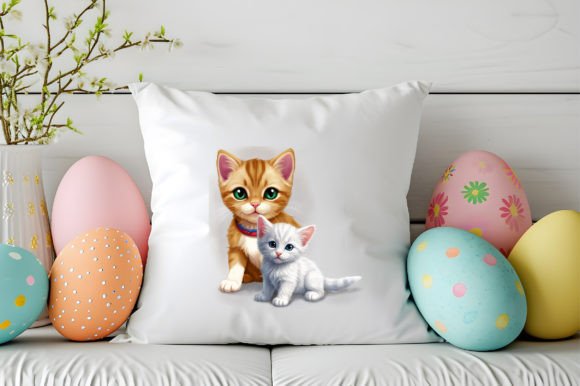
A dog and cat PNG is a digital image file that depicts one or more dogs, cats, or both, stored in the PNG format. Unlike JPEGs, PNGs support lossless compression and an alpha channel, which allows for transparent backgrounds. This means you can place a dog or cat image onto any background without a white or colored box around the subject. The result is a clean, professional look that integrates seamlessly into websites, brochures, social media posts, presentations, and other visual contexts.
PNG files come in two main varieties: PNG-8, which supports up to 256 colors and is suitable for simpler graphics, and PNG-24, which supports millions of colors and is better suited for photographs or complex illustrations. For pet images, PNG-24 is often preferred because it preserves the subtle fur textures, eye details, and shading that make dog and cat photos appealing.
Why Consider Using Dog and Cat PNGs?
If you are involved in any kind of visual communication that features pets, the PNG format offers several practical advantages. The most immediate reason is the transparent background. Whether you are designing a logo for a veterinary clinic, creating an infographic about pet care, or building a website for an animal shelter, the ability to isolate the animal from its original background gives you flexibility. You can place the image on a colored banner, overlay it on a photo, or combine it with other elements without worrying about mismatched edges or awkward cropping.
Another reason relates to image quality. Because PNG uses lossless compression, a dog and cat PNG retains all the original detail from the source file. This is especially important if you plan to resize the image or use it in print. JPEGs often introduce artifacts during compression, which can degrade fur detail or introduce blurriness around edges. PNG avoids this, making it a strong choice when clarity matters.
Additionally, PNG files support transparency at varying levels of opacity. This means you can have soft shadows, semi-transparent fur areas, or faded edges that blend naturally into the background. For designers working on layered compositions, this capability is valuable.
Benefits and Tradeoffs of Choosing Dog and Cat PNG
Every file format has strengths and limitations. Evaluating dog and cat PNGs honestly requires looking at both sides.
Benefits
- Transparency support: The ability to remove or control the background is the top reason to choose PNG. It gives you creative freedom without needing to manually cut out the subject.
- Lossless quality: Every pixel is preserved, so edits, re-saves, and resizing do not introduce degradation. This is critical for professional design work.
- Wide compatibility: PNG is supported by all major web browsers, image editors, and content management systems. You can upload a dog and cat PNG to a WordPress site, an email newsletter, or a social media platform with minimal issues.
- Sharp edges and text: For graphics that include text overlays or sharp lines, PNG handles these elements cleanly, unlike JPEG which can blur high-contrast edges.
Tradeoffs
- File size: PNG files, especially PNG-24, tend to be larger than JPEGs. A high-resolution dog and cat PNG can be 2–5 times larger than a comparable JPEG. This can slow down website load times if not optimized.
- No EXIF data support in all contexts: While PNG can store metadata, some applications do not read it as reliably as JPEG. This is rarely a dealbreaker, but worth noting if you rely on embedded camera data.
- Not ideal for photographs in all cases: If you need a realistic photo of a dog or cat and do not require transparency, a well-compressed JPEG often offers a better balance of quality and file size. PNG excels for graphics, illustrations, and images where transparency or crisp edges are needed.
- Transparency handling in older software: Some legacy systems or older versions of software may not render PNG transparency correctly, though this is increasingly rare.
Key Considerations When Selecting Dog and Cat PNG Images
Before you commit to using a dog and cat PNG, consider your specific context. The decision is rarely about the format alone; it is about how the image fits into your larger workflow and goals.
Resolution and intended use. If you are using the image on a website, a 72 DPI PNG with a reasonable pixel dimension may suffice. For print materials such as posters or brochures, you will want a PNG at 300 DPI or higher. A low-resolution PNG will look pixelated when printed, even if the file format is technically lossless.
Source quality. A dog and cat PNG is only as good as the original image. If the underlying photograph or illustration has poor lighting, low detail, or artifacts, the PNG format will preserve those flaws. Always start with a high-quality source file.
Background removal accuracy. If you are purchasing or downloading a prepared PNG, examine the edges carefully. Poorly cut images often have leftover background pixels, jagged edges, or missing fur strands. For images with complex fur, such as a fluffy cat or a long-haired dog, a clean cut is harder to achieve. Some designers prefer SVG for vector illustrations of animals, but for photographic quality, PNG remains the standard.
File management. Because PNG files can be large, organize your asset library thoughtfully. Use descriptive filenames like golden-retriever-puppy-transparent.png rather than generic names. This makes searching and reusing images easier over time.
When Dog and Cat PNG Is a Strong Fit
Certain scenarios naturally favor the use of dog and cat PNGs. Recognizing these can help you make a confident choice.
- Website hero sections and banners. Placing a transparent pet image over a gradient or patterned background creates a modern, polished look without the distraction of a solid background box.
- Logo design and branding. Many pet businesses use animal silhouettes or illustrated pets in their logos. PNG is ideal for these assets because it keeps the logo clean and adaptable across different media.
- Social media graphics. Platforms like Instagram and Facebook allow layered images. A dog and cat PNG can be inserted into quote graphics, promotional posts, or educational carousels without fighting the background.
- Print materials with multiple elements. If you are designing a flyer that includes text, icons, and a photo of a pet, PNG allows you to position the pet anywhere on the layout without white borders.
- E-commerce product images. Pet product listings often benefit from transparent backgrounds so that the item appears consistent across the site. However, for actual pets used in lifestyle shots, the background context may add value, so assess case by case.
When Alternatives May Be Worth Considering
There are situations where a dog and cat PNG might not be the best choice, and knowing these will save you time and effort.
- When file size is a critical constraint. If your website needs to load quickly on mobile connections, large PNGs can hurt performance. In such cases, consider using WebP format, which supports transparency and offers better compression. Alternatively, use a JPEG for the background and a PNG only for the transparent foreground element, or compress your PNG using tools like TinyPNG.
- When you need a realistic photograph without transparency. JPEG still offers the best file-size-to-quality ratio for photographic content. If you do not need the background removed, a high-quality JPEG is often more practical.
- When vector scalability is required. If you are designing a logo or icon that must scale from a business card to a billboard, an SVG (Scalable Vector Graphics) file is superior. SVG files are resolution-independent and often smaller than PNGs for simple shapes. For complex photorealistic pets, however, SVG may not be suitable.
- When you need animation. PNG does not support animation. If you want a moving dog or cat, consider GIF for simple loops or MP4 for video clips. Alternatively, APNG (Animated PNG) exists but is less widely supported.
- When the image will be edited frequently. Each time you save a PNG, it re-encodes the file. While it is lossless, repeated saves do not degrade quality, but the file size can grow. For frequent editing, working with a PSD or TIFF source file and exporting to PNG only at the final stage is a better workflow.
Practical Decision-Making Insights
To determine whether a dog and cat PNG aligns with your needs, ask yourself a few straightforward questions.
What is the primary output medium? For digital use, PNG is generally excellent. For print, ensure the resolution is sufficient. For web, balance quality with file size by using compression tools.
Do I need the background to be transparent? If yes, PNG is one of your best options. If no, evaluate whether JPEG or WebP might serve you better.
How complex is the subject? For pets with fine fur details, check the edge quality of any pre-made PNG. If you are creating your own, invest time in precise masking or use a professional editing service for best results.
What is my workflow? If you are working with a team that uses design tools like Adobe Photoshop, Canva, or Figma, PNG integrates easily. If you are managing a large library of assets, consider naming conventions and folder structures to keep your PNGs accessible.
Am I optimizing for performance? If page load speed matters, run your PNG through an optimizer or consider next-gen formats. There is no rule that says you must use PNG exclusively; a mix of formats often yields the best results.
Helping Readers Align Their Choice with Their Goals
Selecting a dog and cat PNG is not about following a trend or defaulting to the most popular format. It is about matching the technical properties of the file to the practical demands of your project. If your goal is to create visually cohesive content that integrates pets naturally into diverse layouts, PNG offers a reliable solution. If your priority is speed, scalability, or extreme file-size efficiency, other formats may serve you better.
When building a library of pet images, consider investing in high-quality PNG assets from reputable sources. Look for images with clean edges, appropriate resolution, and accurate color profiles. Avoid generic, low-resolution images that degrade the professionalism of your work. Even the best format cannot compensate for a poor original image.
Finally, test your chosen dog and cat PNG in the environment where it will be used. Preview it on a web page, embed it in a document, or print a sample. Seeing the image in context will reveal any issues with edge quality, color matching, or size that you might have missed. This simple step can prevent frustration later and ensure that your visual assets genuinely support your message.
By evaluating your needs, understanding the tradeoffs, and applying a few practical checks, you can confidently decide whether dog and cat PNG images are the right fit for your next project. When used thoughtfully, they become a versatile tool in your creative toolkit, helping you present pets in a clean, professional, and engaging way.